
群里vip用户反应了一个Elementor插件的报错问题,是在更新WordPress v6.1版本后出现的,在这里做个记录。
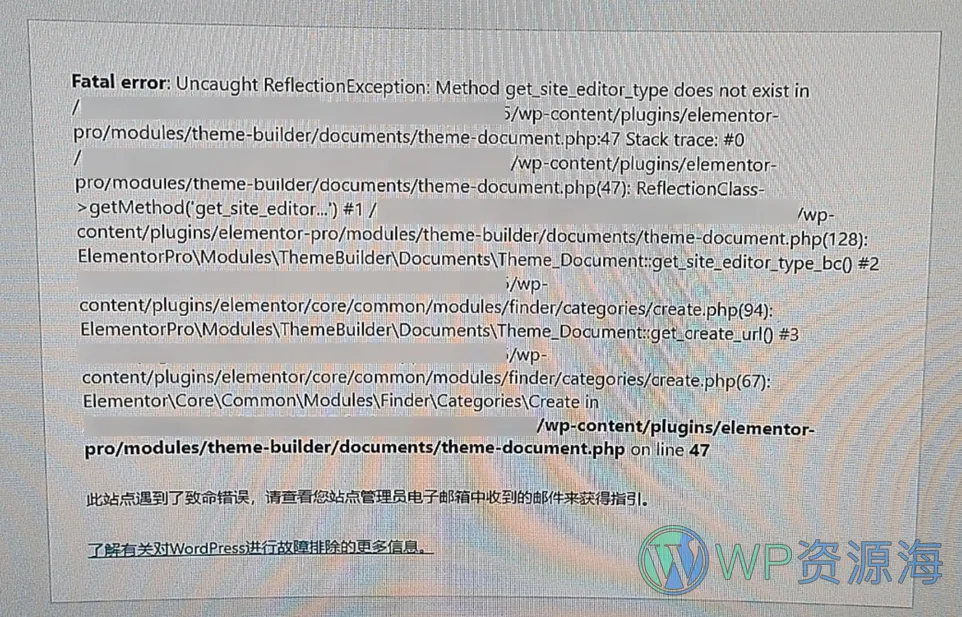
报错内容
Fatal error: Uncaught ReflectionException: Method get site editor_type does not exist in
/wp-content/plugins/elementor-pro/modules/theme-builder/documents/theme-document.php on line 47
解决办法
1、手动上传最新版的elementor插件和elementor pro插件到/wp-content/plugins/目录下解压覆盖。
2、查看问题是否解决,如果没有解决,则尝试下面的方法。
3、找到 /wp-content/plugins/elementor-pro/modules/theme-builder/documents/ 目录下的 theme-document.php文件,并打开编辑模式。
4、找到下面代码
$reflection = new \ReflectionClass( $class_name ); //约为45行
$method = $reflection->getMethod( 'get_site_editor_type' );

// It's own method, use it.
if ( $class_name === $method->class ) {
    return static::get_site_editor_type();
}
修改为下面这样,然后保存。
if (method_exists($class_name, "get_site_editor_type")) {
    $reflection = new \ReflectionClass( $class_name );
    $method = $reflection->getMethod( 'get_site_editor_type' );

    // It's own method, use it.
    if ( $class_name === $method->class ) {
        return static::get_site_editor_type();
    }
}
5、查看报错是否消失,消失的话问题就解决了,如果上面办法都不行,请在下面评论反馈。
方法2来源于:这里
声明:1、本站大部分资源均为网络采集所得,仅供用来学习研究,请于下载后的24h内自行删除,正式商用请购买正版。2、所有汉化类文件和个别标注了“原创”的产品均为本站原创发布,任何个人或组织,在未征得本站同意时,禁止复制、盗用、采集、发布本站内容到任何网站、书籍等各类媒体平台。3、如若本站内容侵犯了原著者的合法权益,请携带相关版权文件联系我们进行下架或删除。4、虚拟下载类资源具有可复制性,一经下载后本站有权拒绝退款或更换其他商品!



评论0 注意:评论区不审核也不处理售后问题!如有售后问题请前往用户中心提交工单以详细说明!